IntelliJ IDEA
Introduction
IntelliJ is the most popular IDE for Java, from the Russian company JetBrains
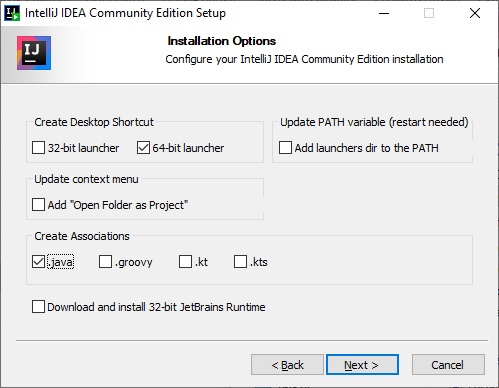
Download IntelliJ
Download from the site JetBrains.com
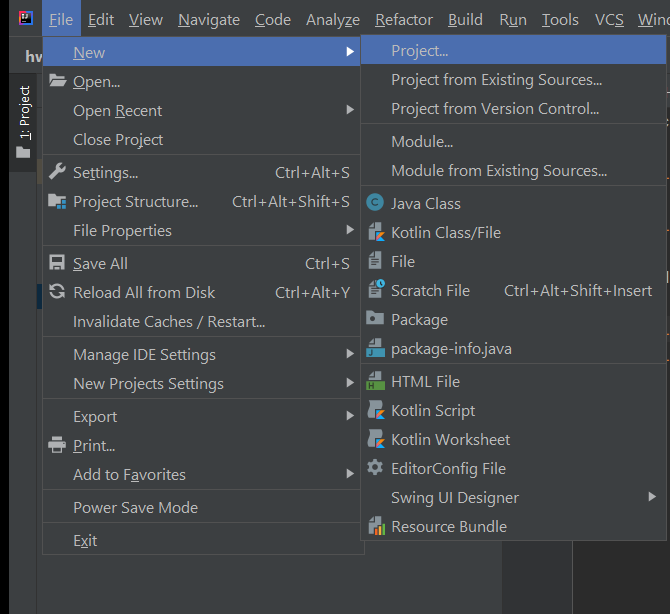
Create a new project
File → New… → Project
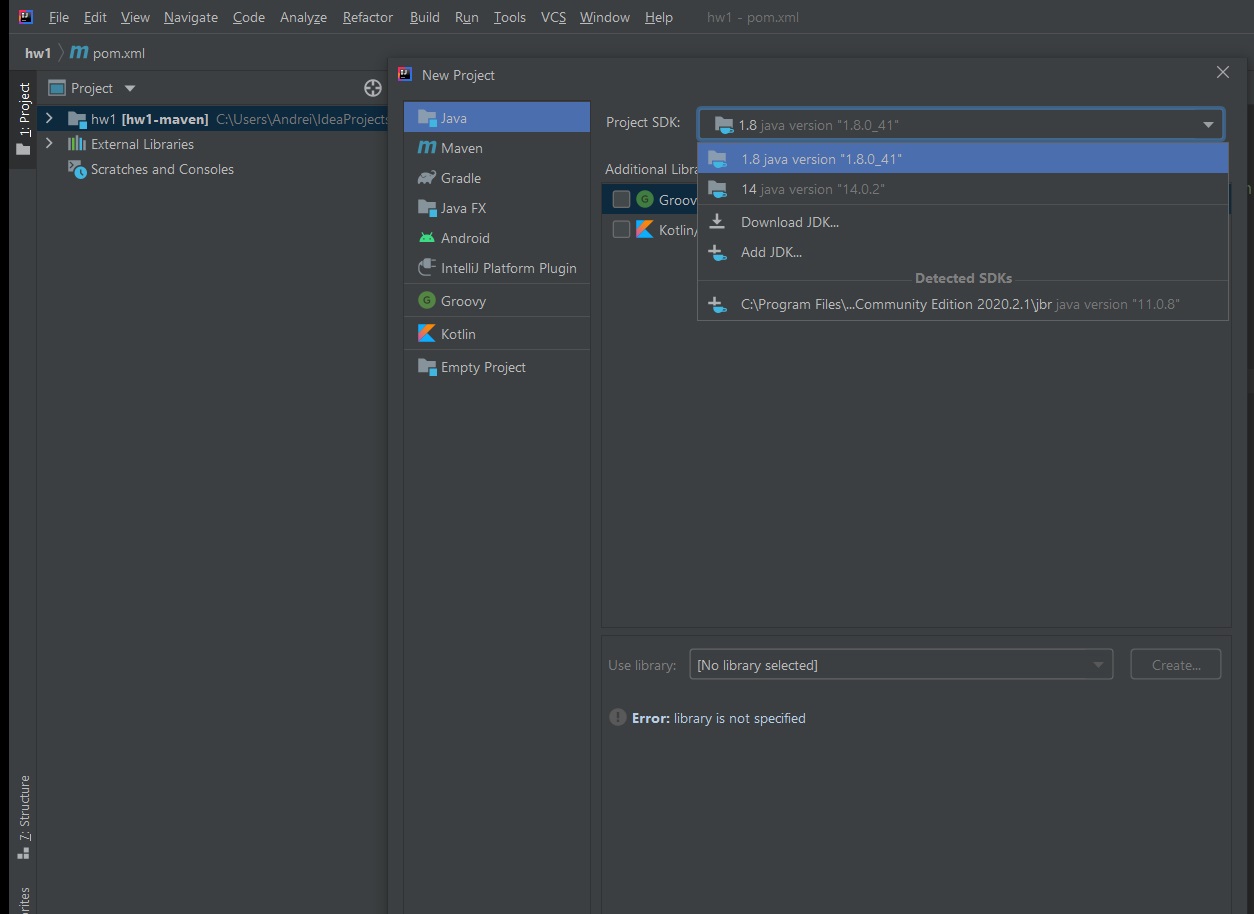
Choose the required SDK.

My system has three of them; I used the 14th last time, and IntelliJ remembered it.
The eighth Java is currently configured in
Path
and there is also a 16th, but I have not exposed it anywhere; it is just unpacked into Program Files
In the left column you have to choose how you want to build the project.
To begin with, choose just Java
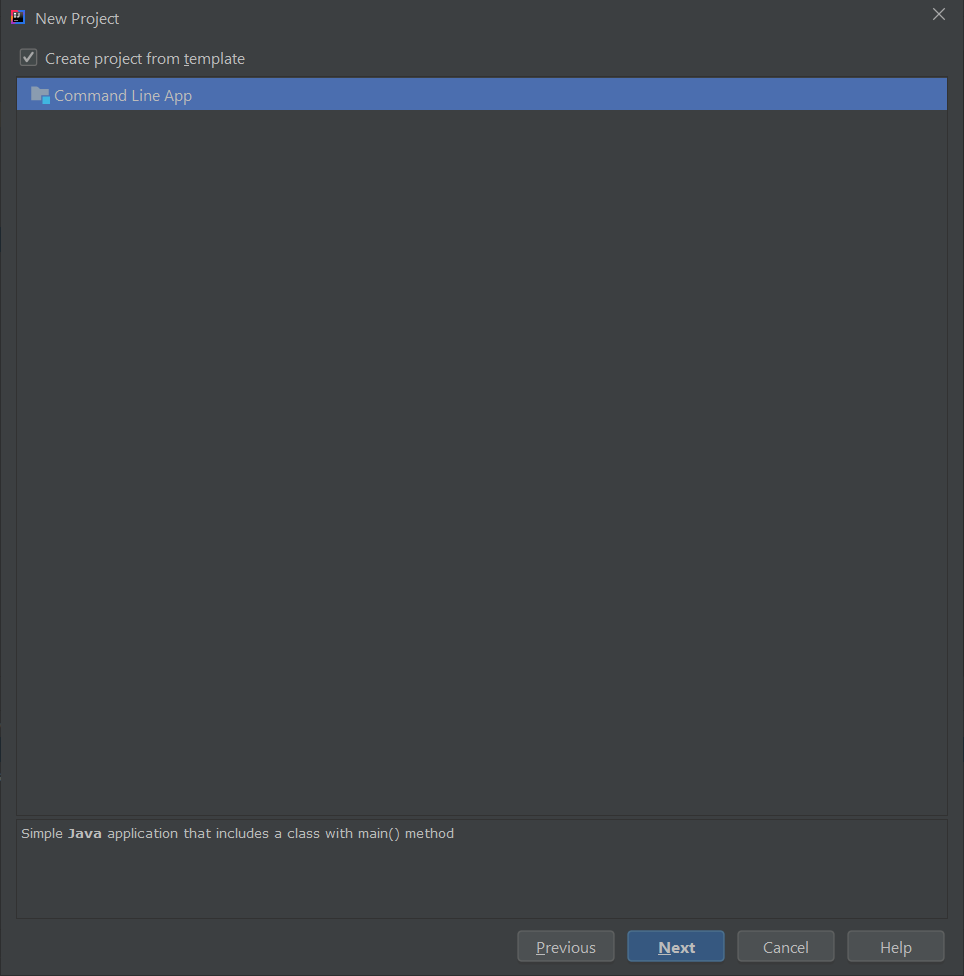
To avoid setting everything up by hand, create a project from a template.
After the first installation the Command Line App template is available, choose it
Make up a name for the project and the package.
The package name is usually the reverse of the domain (or an imaginary domain)
If I were making a project for the site
topbicycle.ru
the package would be called ru.topbicycle
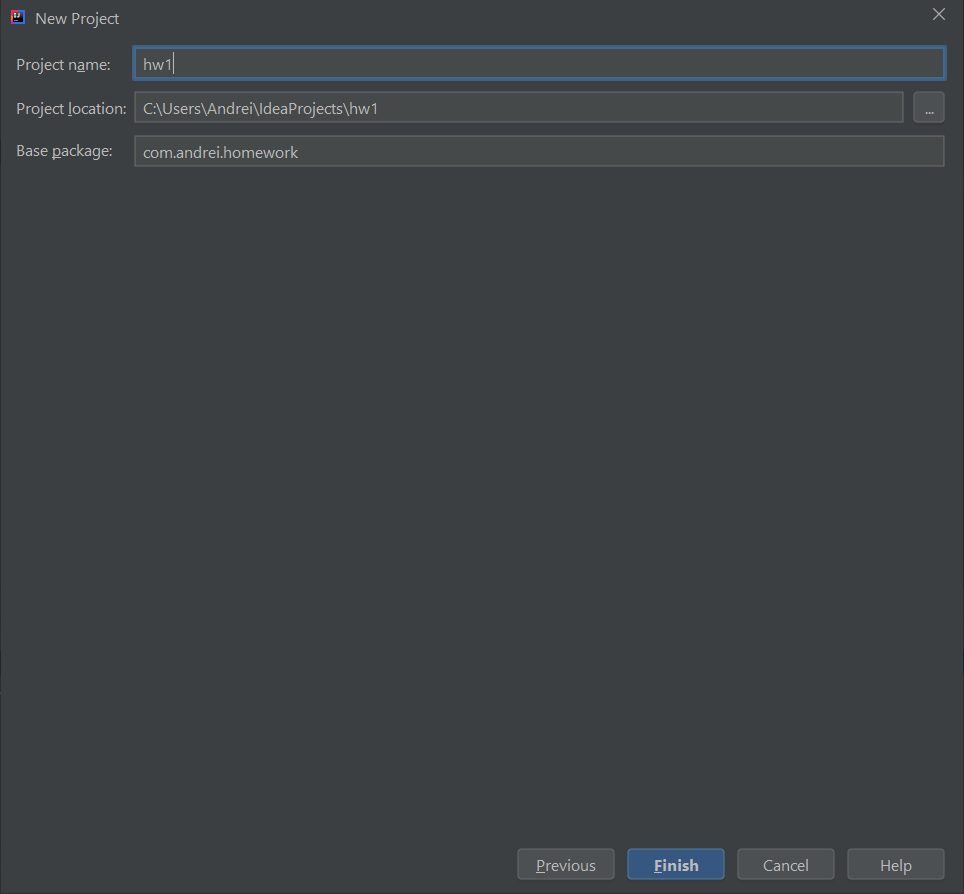
The empty project hw1 consists of:
- A service directory .idea
- An out directory, which we do not need yet; in the future artifacts will be created there
- The directory src where the package is com.andrei.homework and in it the Java file Main.java
First run
The first thing to do is to run
Build → Rebuild Project

If you get
Process finished with exit code 0
then all is well and you can carry on.
Increase the font size
Once the project is created, I recommend opening the settings
File → Settings
and changing the font size to one that is comfortable for you.
It has to be changed in two places: Appearance and Editor
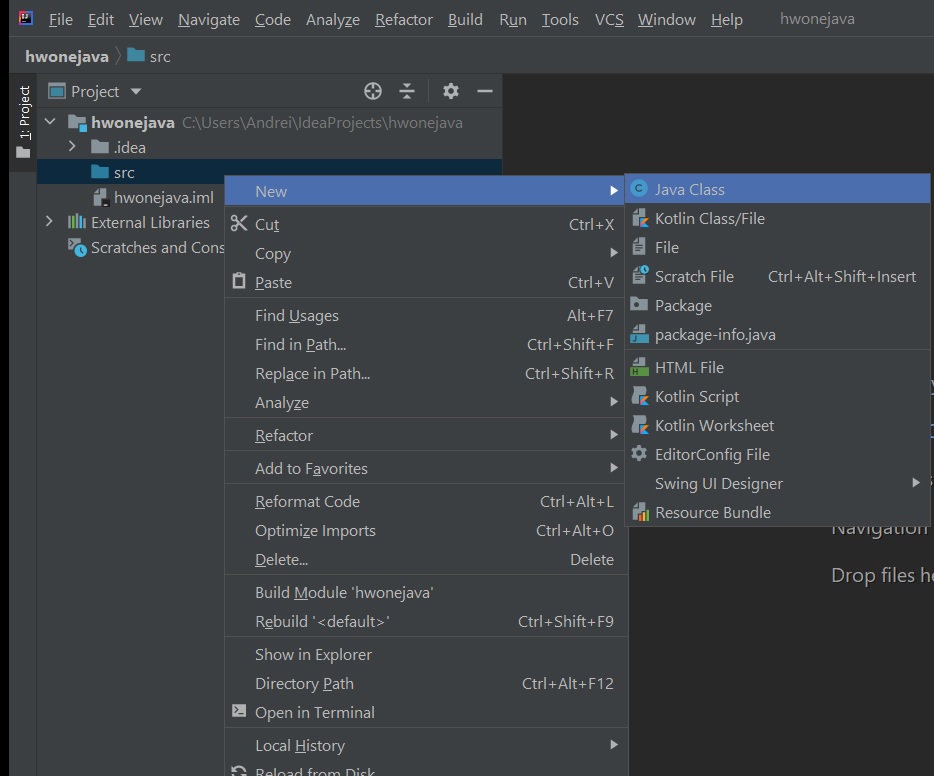
To start writing code, right-click on src → New → Java Class
If when creating the project you choose Maven

Give the project a name

Choose how to open the new project: instead of the current one (This Window)
or in a new window (New Window)
If you chose
Maven
project, the following will be created: the
pom.xml
file
<?xml version="1.0" encoding="UTF-8"?>
<project xmlns="http://maven.apache.org/POM/4.0.0"
xmlns:xsi="http://www.w3.org/2001/XMLSchema-instance"
xsi:schemaLocation="http://maven.apache.org/POM/4.0.0 http://maven.apache.org/xsd/maven-4.0.0.xsd">
<modelVersion>4.0.0</modelVersion>
<groupId>org.homework</groupId>
<artifactId>hw1</artifactId>
<version>1.0-SNAPSHOT</version>
</project>
C:\dev\tools\java-se-8u41-ri\bin\java.exe "-javaagent:C:\Program Files\JetBrains\IntelliJ IDEA Community Edition 2020.2.1\lib\idea_rt.jar=21504:C:\Program Files\JetBrains\IntelliJ IDEA Community Edition 2020.2.1\bin" -Dfile.encoding=UTF-8 -classpath C:\dev\tools\java-se-8u41-ri\jre\lib\charsets.jar;C:\dev\tools\java-se-8u41-ri\jre\lib\ext\cldrdata.jar;C:\dev\tools\java-se-8u41-ri\jre\lib\ext\dnsns.jar;C:\dev\tools\java-se-8u41-ri\jre\lib\ext\localedata.jar;C:\dev\tools\java-se-8u41-ri\jre\lib\ext\nashorn.jar;C:\dev\tools\java-se-8u41-ri\jre\lib\ext\sunec.jar;C:\dev\tools\java-se-8u41-ri\jre\lib\ext\sunjce_provider.jar;C:\dev\tools\java-se-8u41-ri\jre\lib\ext\sunmscapi.jar;C:\dev\tools\java-se-8u41-ri\jre\lib\ext\sunpkcs11.jar;C:\dev\tools\java-se-8u41-ri\jre\lib\ext\zipfs.jar;C:\dev\tools\java-se-8u41-ri\jre\lib\jce.jar;C:\dev\tools\java-se-8u41-ri\jre\lib\jsse.jar;C:\dev\tools\java-se-8u41-ri\jre\lib\management-agent.jar;C:\dev\tools\java-se-8u41-ri\jre\lib\resources.jar;C:\dev\tools\java-se-8u41-ri\jre\lib\rt.jar com.andrei.homework.Main Error: Could not find or load main class com.andrei.homework.Main Process finished with exit code 1
The first thing to try is
Build → Rebuild Project
Article author: Andrei Olegovich