Сеть в PowerShell
Введение
Это статья про работу с сетью в PowerShell
Изучить темы связанные с сетью в Windows вы можете
здесь
Общую информацию о сетях и протоколах можете найти в статье
«Компьютерные сети»
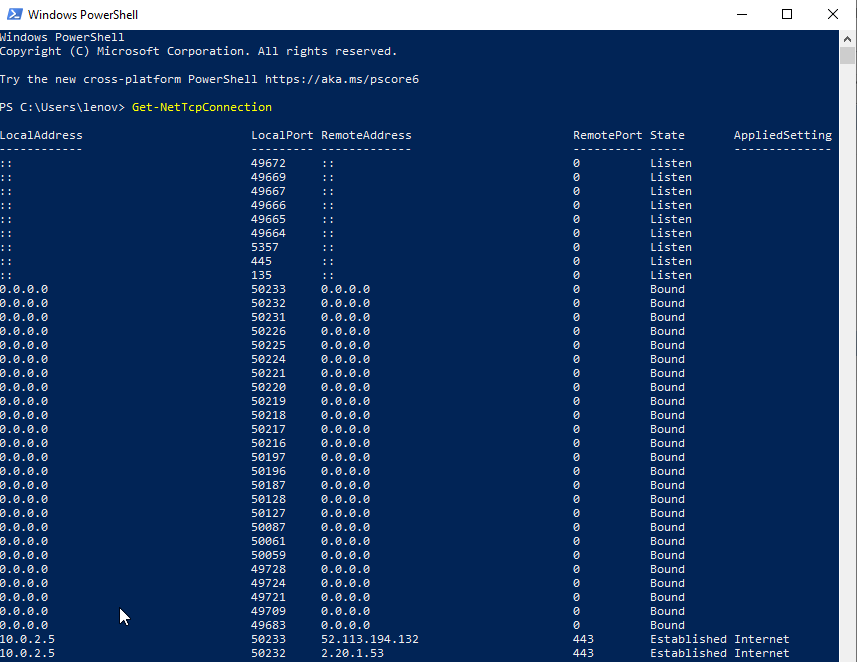
Открытые порты
Get-NetTcpConnection
Установка Ubuntu
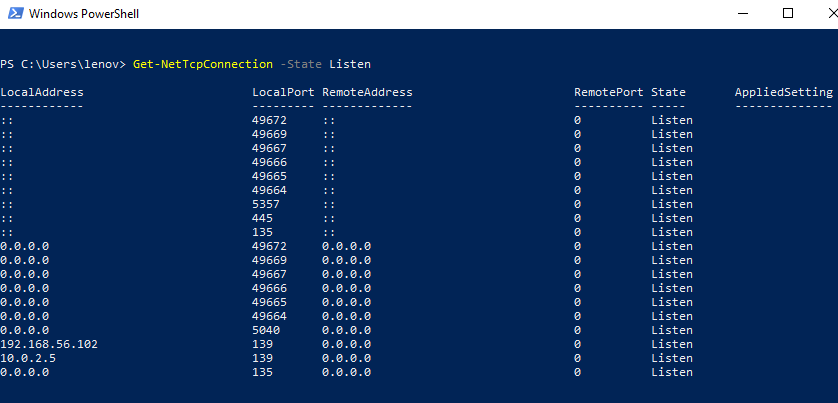
Только порты, которые слушаются в данный момент
Get-NetTcpConnection -State Listen
Установка Ubuntu
Проверить открыт ли порт
Проверить открыт ли конкретный порт на удалённом хосте можно с помощью Test-NetConnection
Пример с портом 8080, открытым для Jenkins
Test-NetConnection 10.30.200.116 -port 8080
ComputerName : 10.30.200.116 RemoteAddress : 10.30.200.116 RemotePort : 8080 InterfaceAlias : Ethernet 6 SourceAddress : 10.30.200.115 TcpTestSucceeded : True
Если порт закрыт
Test-NetConnection 10.30.200.116 -port 8082
WARNING: TCP connect to (10.30.200.116 : 8082) failed
ComputerName : 10.30.200.116 RemoteAddress : 10.30.200.116 RemotePort : 8082 InterfaceAlias : Ethernet 6 SourceAddress : 10.30.200.115 PingSucceeded : True PingReplyDetails (RTT) : 5 ms TcpTestSucceeded : False
Открыть порт
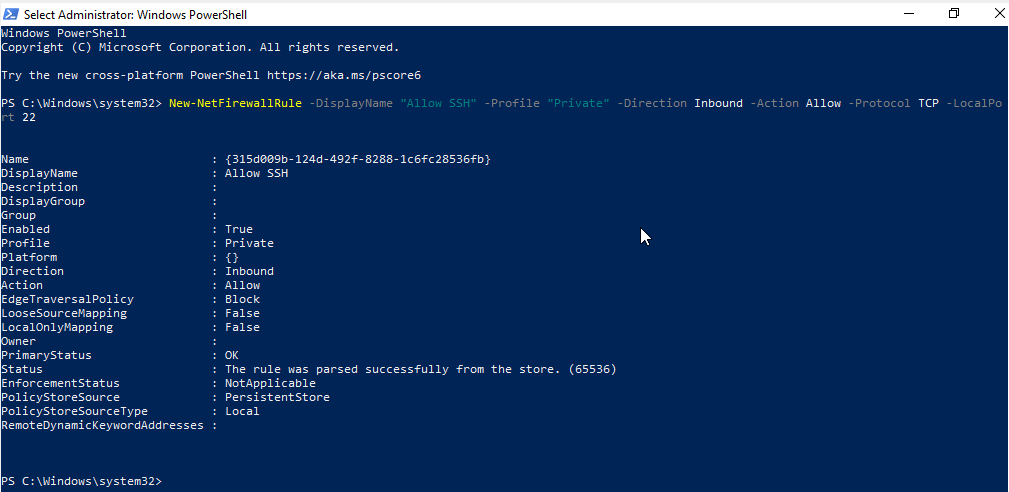
Чтобы открыть порт 22 для доступа по SSH выполните
New-NetFirewallRule -DisplayName "Allow SSH" -Profile "Private" -Direction Inbound -Action Allow -Protocol TCP -LocalPort 22
Установка Ubuntu
Получить информацию о сети
Ближайший аналог ipconfig из обычного cmd это Get-NetIPConfiguration
PS C:\Users\Andrei> Get-NetIPConfiguration
InterfaceAlias : vEthernet (Default Switch) InterfaceIndex : 33 InterfaceDescription : Hyper-V Virtual Ethernet Adapter IPv4Address : 172.24.128.1 IPv6DefaultGateway : IPv4DefaultGateway : DNSServer : fec0:0:0:ffff::1 fec0:0:0:ffff::2 fec0:0:0:ffff::3 InterfaceAlias : WiFi InterfaceIndex : 8 InterfaceDescription : Intel(R) Dual Band Wireless-AC 8265 NetProfile.Name : Lester2.4G IPv4Address : 192.168.0.105 IPv4DefaultGateway : 192.168.0.1 DNSServer : 192.168.0.1 InterfaceAlias : Bluetooth Network Connection InterfaceIndex : 11 InterfaceDescription : Bluetooth Device (Personal Area Network) NetAdapter.Status : Disconnected InterfaceAlias : Local Area Connection InterfaceIndex : 13 InterfaceDescription : TAP-ProtonVPN Windows Adapter V9 NetAdapter.Status : Disconnected InterfaceAlias : Ethernet InterfaceIndex : 4 InterfaceDescription : Intel(R) Ethernet Connection (4) I219-V NetAdapter.Status : Disconnected
Разрешить RDP подключения
Set-ItemProperty -Path 'HKLM:\System\CurrentControlSet\Control\Terminal Server' -name "fDenyTSConnections" -value 0
Разрешить соединение в Firewall
Enable-NetFirewallRule -DisplayGroup "Remote Desktop"
Статус OpenSSH сервера
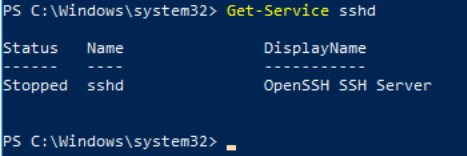
Проверить статус сервера
Get-Service sshd
Установка Ubuntu
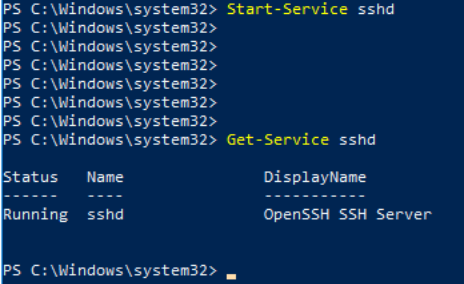
Запустить OpenSSH сервер
Start-Service sshd
Get-Service sshd
Установка Ubuntu
hostname
Узнать имя хоста можно командой
hostname
Andrei0123
Скачать файл
Скачать файл можно командой Invoke-WebRequest.
Пример скрипта, который скачивает
thrift-0.19.0.exe
и сохраняет его как
thrift.exe
$THRIFT_URL = "https://dlcdn.apache.org/thrift/0.19.0/thrift-0.19.0.exe" $FilePath = ".\thrift.exe" If (Test-Path -path $FilePath -PathType Leaf) { Write-Host "thrift.exe file exists" -f Green } Else { Write-Host "thrift.exe file does not exist - starting download" -f Yellow Invoke-WebRequest $THRIFT_URL -OutFile thrift.exe }
Скачать Tesseract
$TESSERACT_EXE = "tesseract-ocr-w64-setup-v5.3.0.20221214.exe" $URL = "https://digi.bib.uni-mannheim.de/tesseract/" $TESSERACT_URL = "${URL}${TESSERACT_EXE}" $FilePath = ".\tesseract.exe" If (Test-Path -path $FilePath -PathType Leaf) { Write-Host "tesseract.exe file exists" -f Green } Else { Write-Host "tesseract.exe file does not exist - starting download" -f Yellow Invoke-WebRequest $TESSERACT_URL -OutFile tesseract.exe }
Show-NetFirewallRule
Show-NetfirewallRule | where displayName -Like "*FTP*"
----------------------------------------------------------------------------------------------------------------------- Name : {97411F5D-B569-487D-9F24-5D48DAE5B629} DisplayName : FTP TCP Description : DisplayGroup : Group : Enabled : True Profile : Any Platform : Direction : Inbound Action : Allow EdgeTraversalPolicy : Block LooseSourceMapping : False LocalOnlyMapping : False Owner : PrimaryStatus : OK Status : The rule was parsed successfully from the store. (65536) EnforcementStatus : NotApplicable PolicyStoreSource : PersistentStore PolicyStoreSourceType : Local RemoteDynamicKeywordAddresses : PolicyAppId : ----------------------------------------------------------------------------------------------------------------------- Name : {0C0E58EE-971D-4474-B1AE-C5A4F2C9A95C} DisplayName : FTP UDP Description : DisplayGroup : Group : Enabled : True Profile : Any Platform : Direction : Inbound Action : Allow EdgeTraversalPolicy : Block LooseSourceMapping : False LocalOnlyMapping : False Owner : PrimaryStatus : OK Status : The rule was parsed successfully from the store. (65536) EnforcementStatus : NotApplicable PolicyStoreSource : PersistentStore PolicyStoreSourceType : Local RemoteDynamicKeywordAddresses : PolicyAppId : ----------------------------------------------------------------------------------------------------------------------- Name : {376042E3-2043-47E4-84A4-AFAD942F0034} DisplayName : Open Port 60 FTP Description : DisplayGroup : Group : Enabled : True Profile : Any Platform : Direction : Inbound Action : Allow EdgeTraversalPolicy : Block LooseSourceMapping : False LocalOnlyMapping : False Owner : PrimaryStatus : OK Status : The rule was parsed successfully from the store. (65536) EnforcementStatus : NotApplicable PolicyStoreSource : PersistentStore PolicyStoreSourceType : Local RemoteDynamicKeywordAddresses : PolicyAppId :
# firewallaudit-2.py import subprocess print('Perform Windows firewall audit') fwprocess = subprocess.run(['powershell','Show-NetFirewallRule'], stdout=subprocess.PIPE) results = str(fwprocess.stdout) bannedapps = ['FTP'] for item in bannedapps: if item in results: print("Application "+item+" found, not permitted by the company")
python firewallaudit-2.py
Perform Windows firewall audit Application FTP found, not permitted by the company
Автор статьи: Андрей Олегович