Yandex Mail: collect mail from other mailboxes
Yandex Mail can fetch the mail of other mailboxes, so that one inbox shows the letters of Gmail, of a work address and of the mailbox of your domain. At the time of the screenshots it took up to ten mailboxes. The screenshots show the Russian interface; the labels are given in English with the Russian text in brackets.
Collect mail from other mailboxes
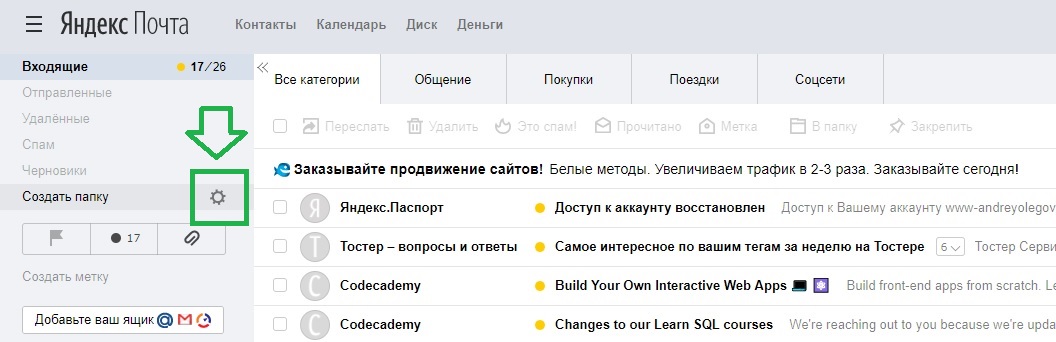
In the list of folders point at Create folder (Создать папку) and click the gear that appears:
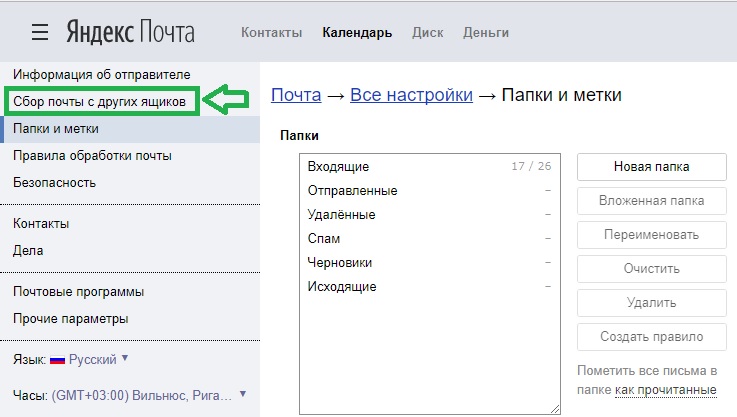
Open Collecting mail from other mailboxes (Сбор почты с других ящиков):
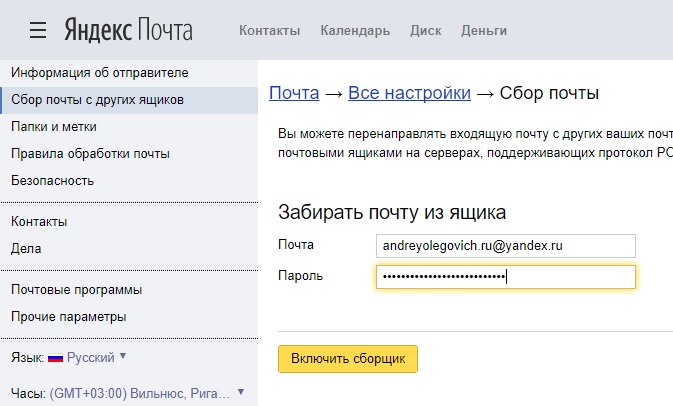
For another Yandex mailbox the address and the password are enough:
Server settings
For a mailbox at another service add the server settings: the protocol (IMAP keeps the folders, POP3 only fetches the inbox), the login, the server and the port, and tick Use SSL:
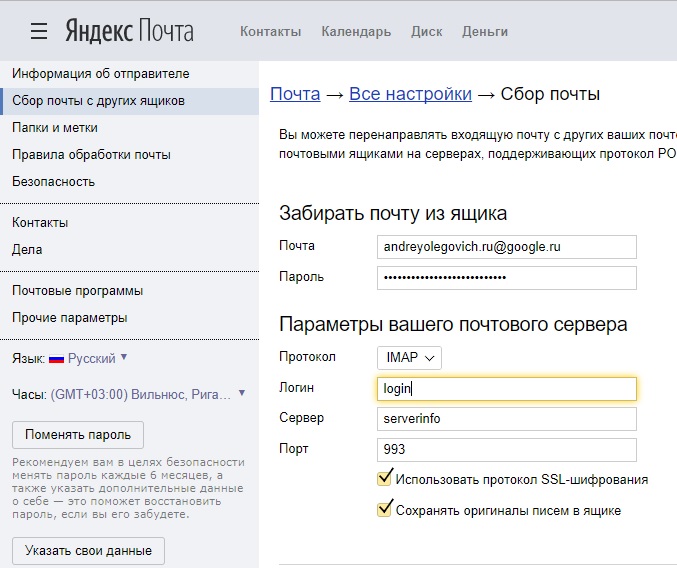
For Gmail the IMAP server is imap.gmail.com, port 993 with SSL. Gmail accepts such a login only with IMAP enabled in its settings and, for an account with two-step verification, with an app password instead of the normal one. The server of a mailbox at your hosting provider is in its control panel; for Beget see Beget mail: create a mailbox.
Article authors: Andrei Olegovich, Klavdiya Kondakova
