NatNetwork
This article is also available in Russian: Russian version.
Introduction
NAT Network is one of the
network connection types
available in
VirtualBox
you can read about the other types
here
Short definition: NAT Network is an internal network that allows external connections.
(
Network Address Translation Service
)
Create a NAT Network
In VirtualBox version 7.X.X a new NAT Network can be created in the following original way
File → Tools → Network Manager → NAT Networks + Create
Click File - Tools - Network Manager or press CTRL + H
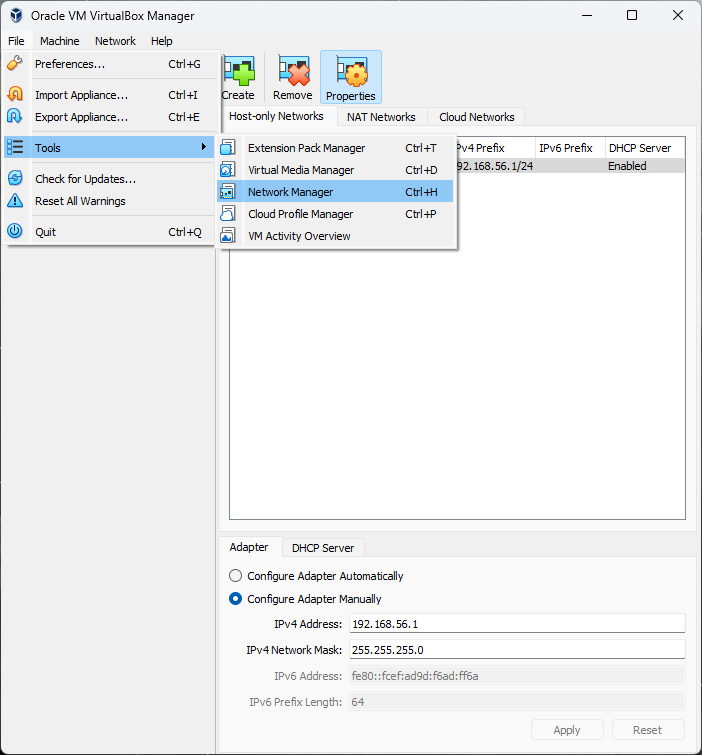
VirtualBox
Open the NAT Networks tab
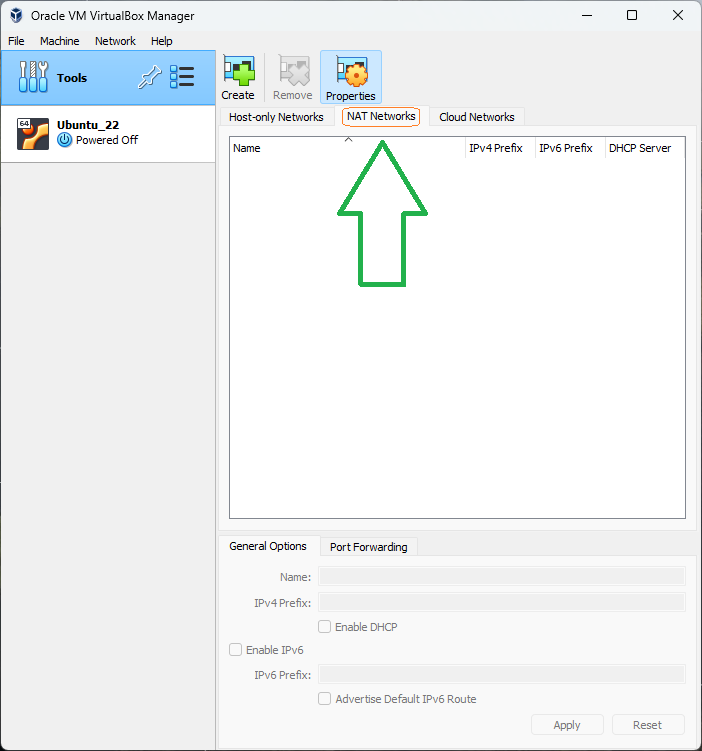
VirtualBox
Click +Create and set the network parameters
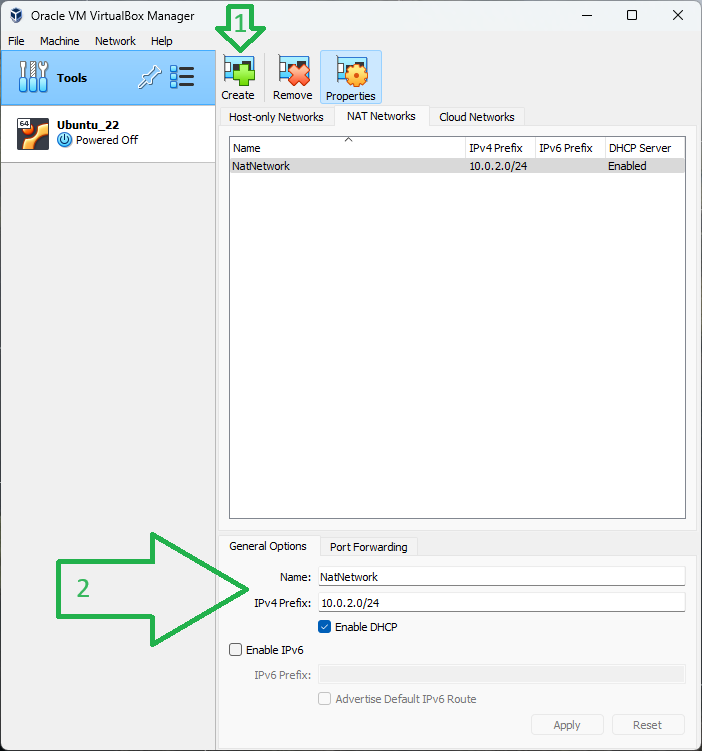
NatNetwork
In VirtualBox version 6.X.X a NAT Network was created like this
File → Preferences → Network → +
To get into Preferences press CTRL + G
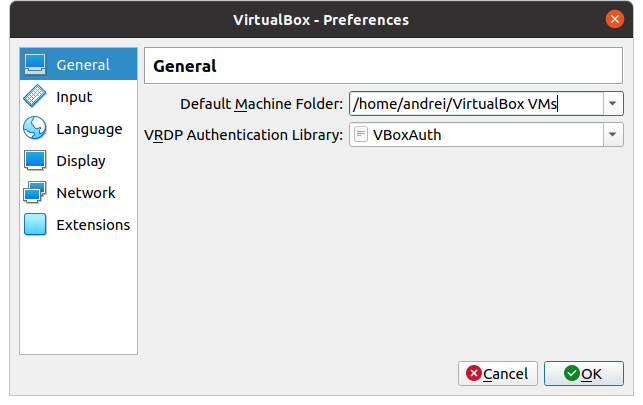
Preferences
Go to Network
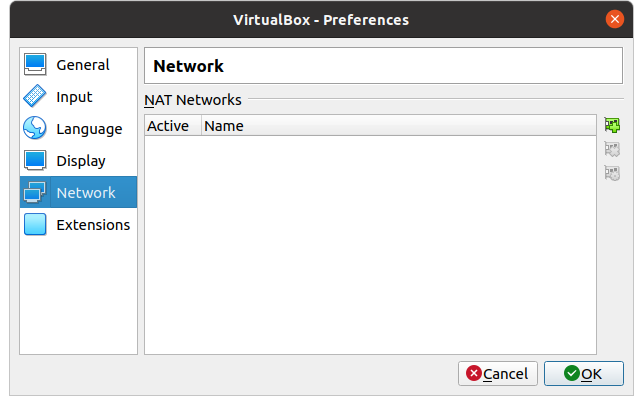
Network
Click the plus on the right. VirtualBox will create a network named NatNetwork
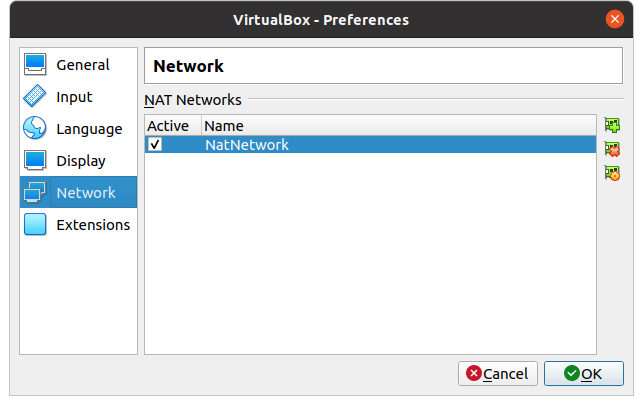
NAT Networks
Double-click the network name to see its properties
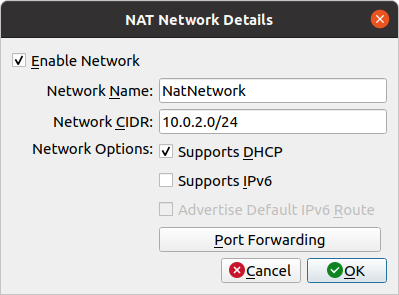
NAT Network Details
Default IPs
If you create a standard NAT network and connect one of the interfaces of a VirtualBox virtual machine to it,
DHCP will give it an IP according to the address range of this network.
Take the network from the previous section
Nested Virtualization
254 addresses of the form 10.0.2.X(XX) will be handed out
For example, if you run this on a host connected to this network
ip a
1: lo: <LOOPBACK,UP,LOWER_UP> mtu 65536 qdisc noqueue state UNKNOWN group default qlen 1000 link/loopback 00:00:00:00:00:00 brd 00:00:00:00:00:00 inet 127.0.0.1/8 scope host lo valid_lft forever preferred_lft forever inet6 ::1/128 scope host valid_lft forever preferred_lft forever 2: enp0s3: <BROADCAST,MULTICAST,UP,LOWER_UP> mtu 1500 qdisc pfifo_fast state UP group default qlen 1000 link/ether 08:00:27:27:2e:31 brd ff:ff:ff:ff:ff:ff inet 10.0.2.18/24 brd 10.0.2.255 scope global noprefixroute dynamic enp0s3 valid_lft 342sec preferred_lft 342sec inet6 fe80::3edb:b539:c1ce:7a5d/64 scope link noprefixroute valid_lft forever preferred_lft forever 3: enp0s8: <BROADCAST,MULTICAST,UP,LOWER_UP> mtu 1500 qdisc pfifo_fast state UP group default qlen 1000 link/ether 08:00:27:f4:58:6d brd ff:ff:ff:ff:ff:ff inet 192.168.56.113/24 brd 192.168.56.255 scope global noprefixroute dynamic enp0s8 valid_lft 342sec preferred_lft 342sec inet6 fe80::5c28:a8af:97c2:9cd9/64 scope link noprefixroute valid_lft forever preferred_lft forever …
You can tell that interface 2:
enp0s3 with the IP address 10.0.2.18/24 faces this NAT Network
1: 127.0.0.1 is a
private loopback address
3: enp0s8 192.168.56.113 is a
private address
of the Host-only adapter. I usually create such an adapter in my virtual machines: it is needed to talk to the host that runs
VirtualBox.
If I run this from the console of my laptop
ping 10.0.2.18
Nothing will come back.
But
ping 192.168.56.113
PING 192.168.56.113 (192.168.56.113) 56(84) bytes of data.
64 bytes from 192.168.56.113: icmp_seq=1 ttl=64 time=0.785 ms
Works
Another host from the same NAT network sees 10.0.2.18 and can ping it.
Interfaces connected to a NAT Network see each other and see the external internet
Interfaces connected to a NAT Network do not see the host that runs VirtualBox
Create several NAT networks
By clicking the plus you can create other networks. They will be named NatNetwork1, NatNetwork2 …
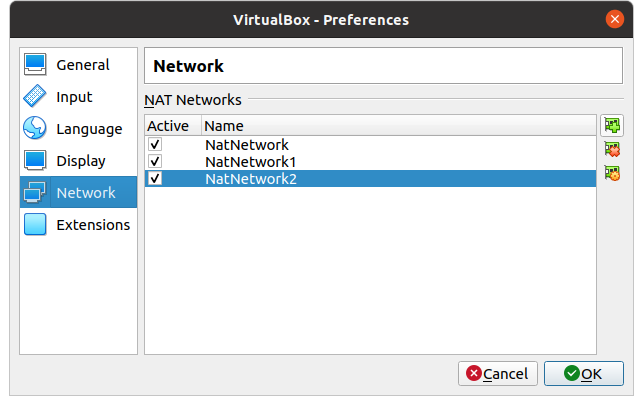
Nested Virtualization
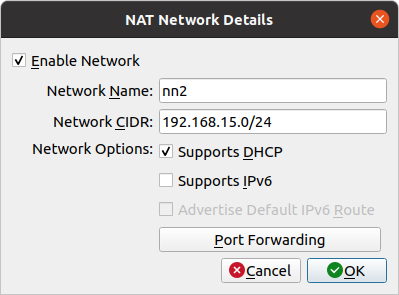
Suppose a network nn2 is created with the following properties
Nested Virtualization
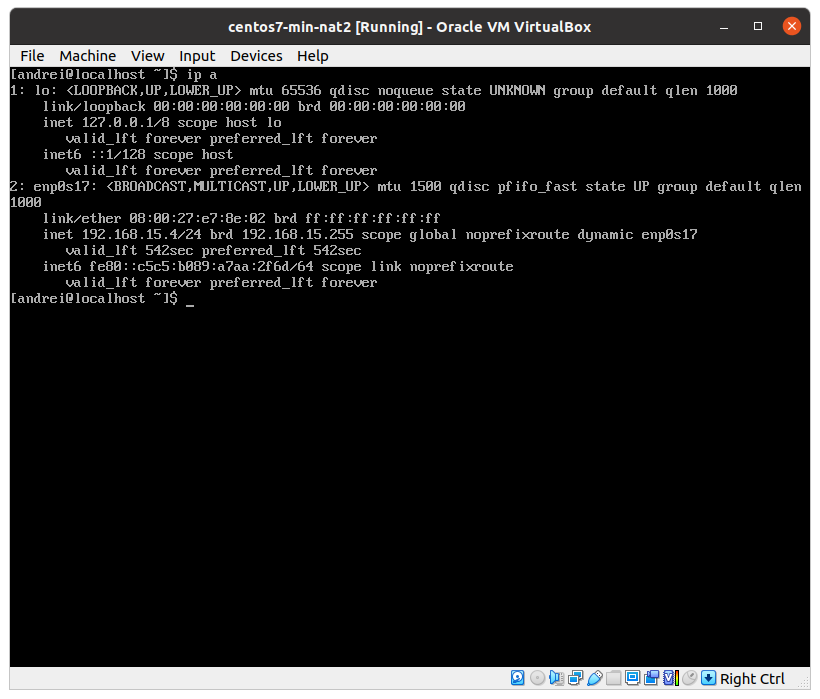
A host whose only interface is connected to this network will show the following output of the command ip a
Nested Virtualization
From my laptop I cannot reach this host without a router . I need another host that has interfaces both in nn2 and in Host-only
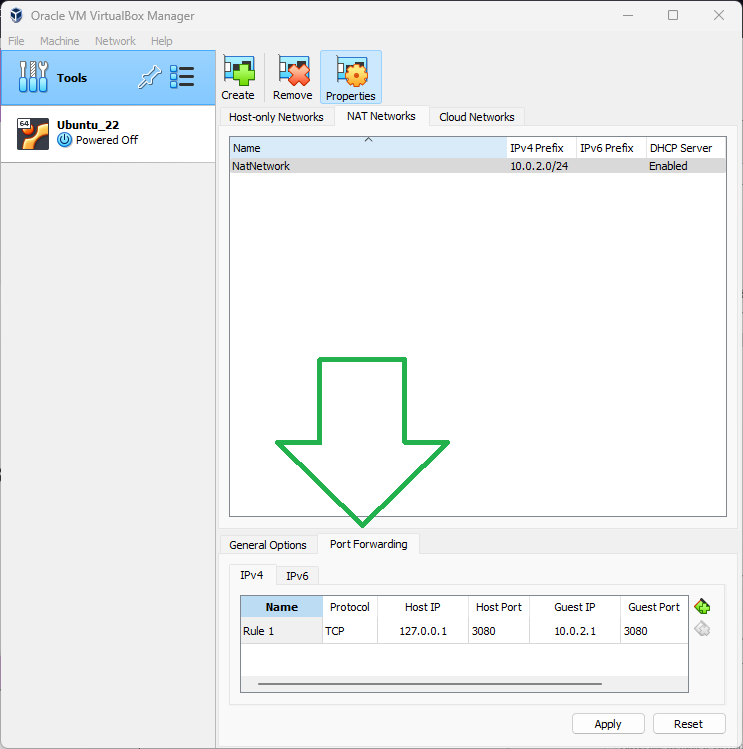
Port Forwarding
NatNetwork
Article author: Arthur Isaev