Fix an Excel filter that shows no data

Contents
Introduction
Excel doesn't filter column

In this article, you will learn how to filter columns in Excel.

Issue

You want to filter the column, but you don't see any data at all
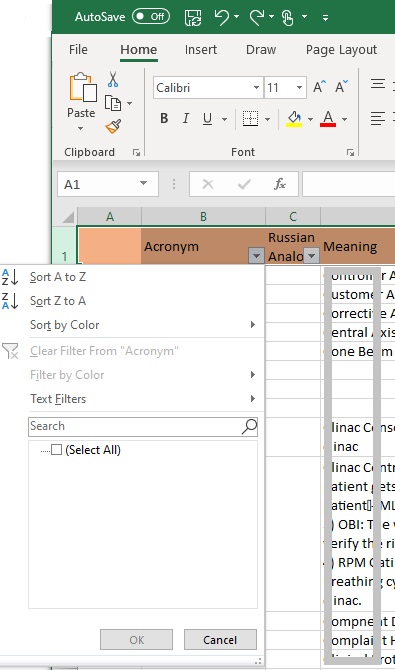
'.Excel filter troubleshooting screenshot.'

Screenshot

Perhaps this error is caused by the fact that you have selected the entire top row for the filter.

There is an error somewhere and it does not allow filtering

Check whether the filters are on all columns, as in the picture below, or only on one.
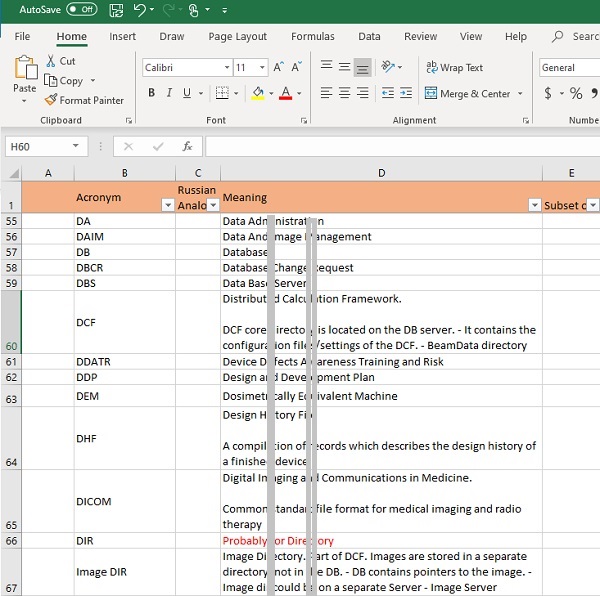
'.Excel filter troubleshooting screenshot.'

Screenshot

Re-select the top row → Click Sort & Filter → Filter
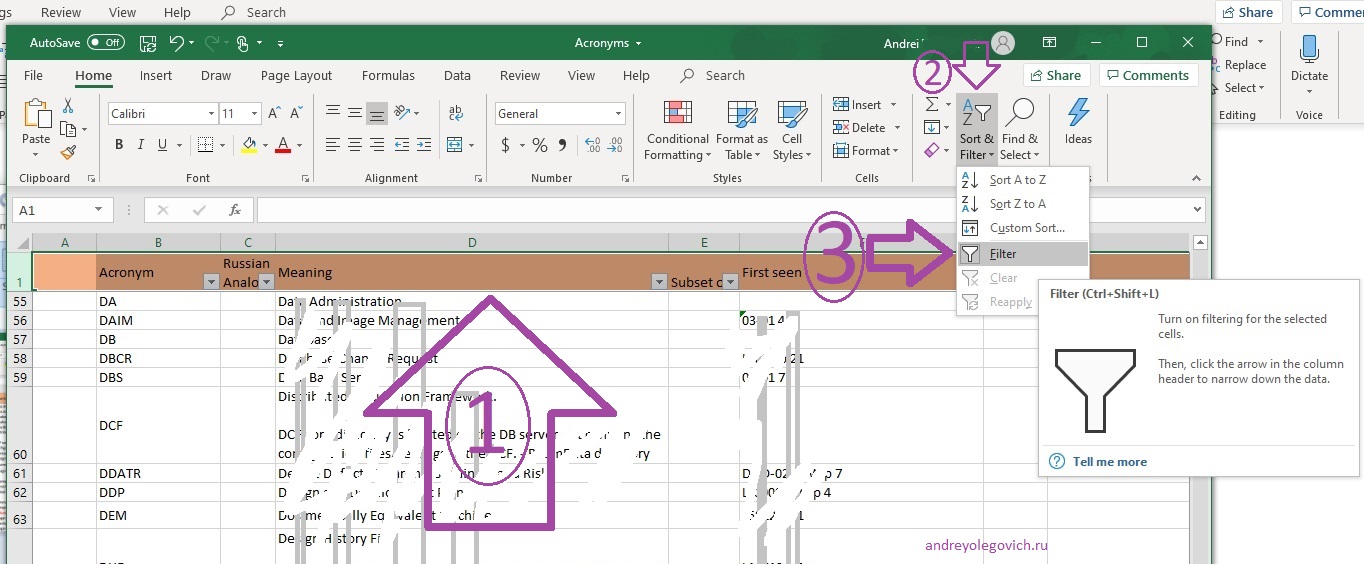
'.Excel filter troubleshooting screenshot.'

Screenshot

I enlarged the picture in case it's hard to see
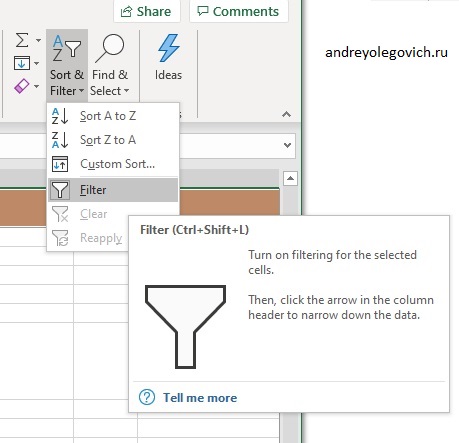
'.Excel filter troubleshooting screenshot.'

Screenshot

Making sure that the selection is removed
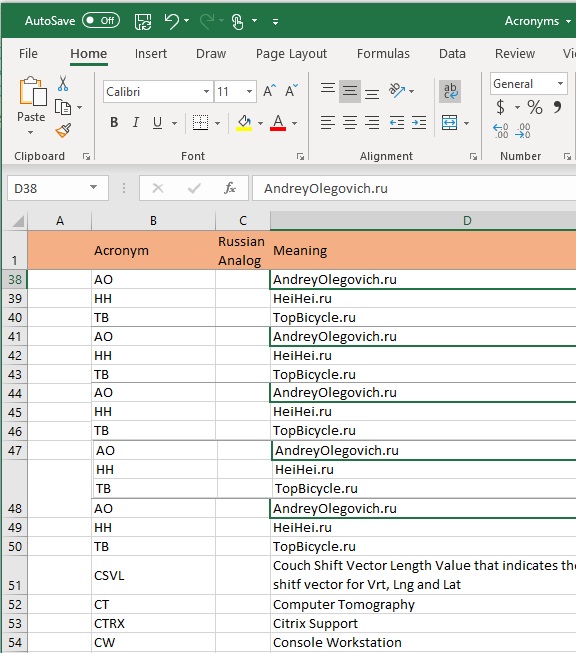
'.Excel filter troubleshooting screenshot.'

Screenshot

Select the desired column and set the filter again through Sort & Filter → Filter
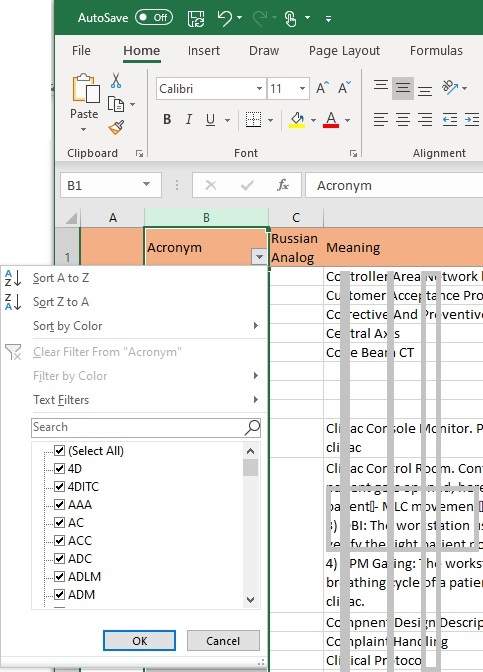
'.Excel filter troubleshooting screenshot.'

Screenshot

Making sure that the filter works.

'.Excel filter troubleshooting screenshot.'

Screenshot

Article author: Arthur Isaev

Related articles
Microsoft Office
Microsoft Excel
Alternate row colors
Enable the Developer tab
VBA examples
Sort numbers correctly
Paste Special shortcuts
VBA examples
Alternate row colors
Enable the Developer tab
Color a drop-down list
Sort numbers correctly
Everything disappeared
Insert a line break in a cell
Fix an Excel filter
Microsoft Word
Microsoft PowerPoint

Search this site

Channel @aofeed Chat @aofeedchat

Contacts and cooperation:
I recommend our hosting beget.ru
Write to info@urn.su if you:
1. Want to write an article for our site or translate an article into your native language.
2. Want to place thematically relevant ads on the site.
3. Ads on my site pass maximum censorship. If you see an ad block unsuitable for school-age children, shocking or misleading - please contact us by e-mail
4. Found a mistake, inaccuracy, bug, etc. on the site. ... .......
5. Articles can be shared on social media by clicking a network icon: